Account Deletion
Fish Zone Mobile Application (formerly Fishing Latvia)
You can delete your Fish Zone account and all associated data at any time using one of the two methods below.
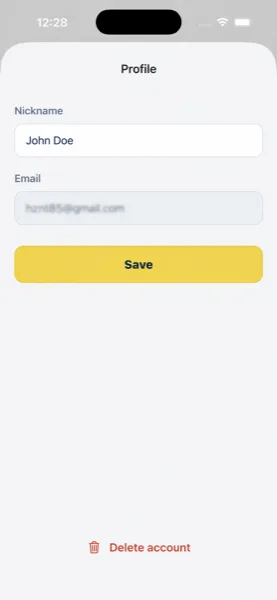
Option 1: Delete in the app
Open the Fish Zone app and go to Menu → your profile → Delete account, then confirm. Your account and data will be deleted immediately.
Option 2: Request deletion by email
Send an email to privacy@fishzone.pro with the subject "Delete account" and include the email address you used to sign up. We will process the request within 30 days.
What gets deleted
- Your account (email, user ID, nickname)
- All fishing reports you created (text, coordinates, photos)
- All personal map points you created (coordinates, details, photos)
- All photos you uploaded to Firebase Storage
This action is irreversible. Once your account is deleted, the data cannot be recovered.
For full details on what data we collect and how it is processed, see our Privacy Policy.